



Back to FAQs
How do I filter dog parks by specific amenities?
If you're looking for a dog-friendly area with specific amenities, DogPack has two ways to filter for them:
1. Using the Map Tab:
- Go to the Map tab.
- Click the Filter button in the top-right corner.
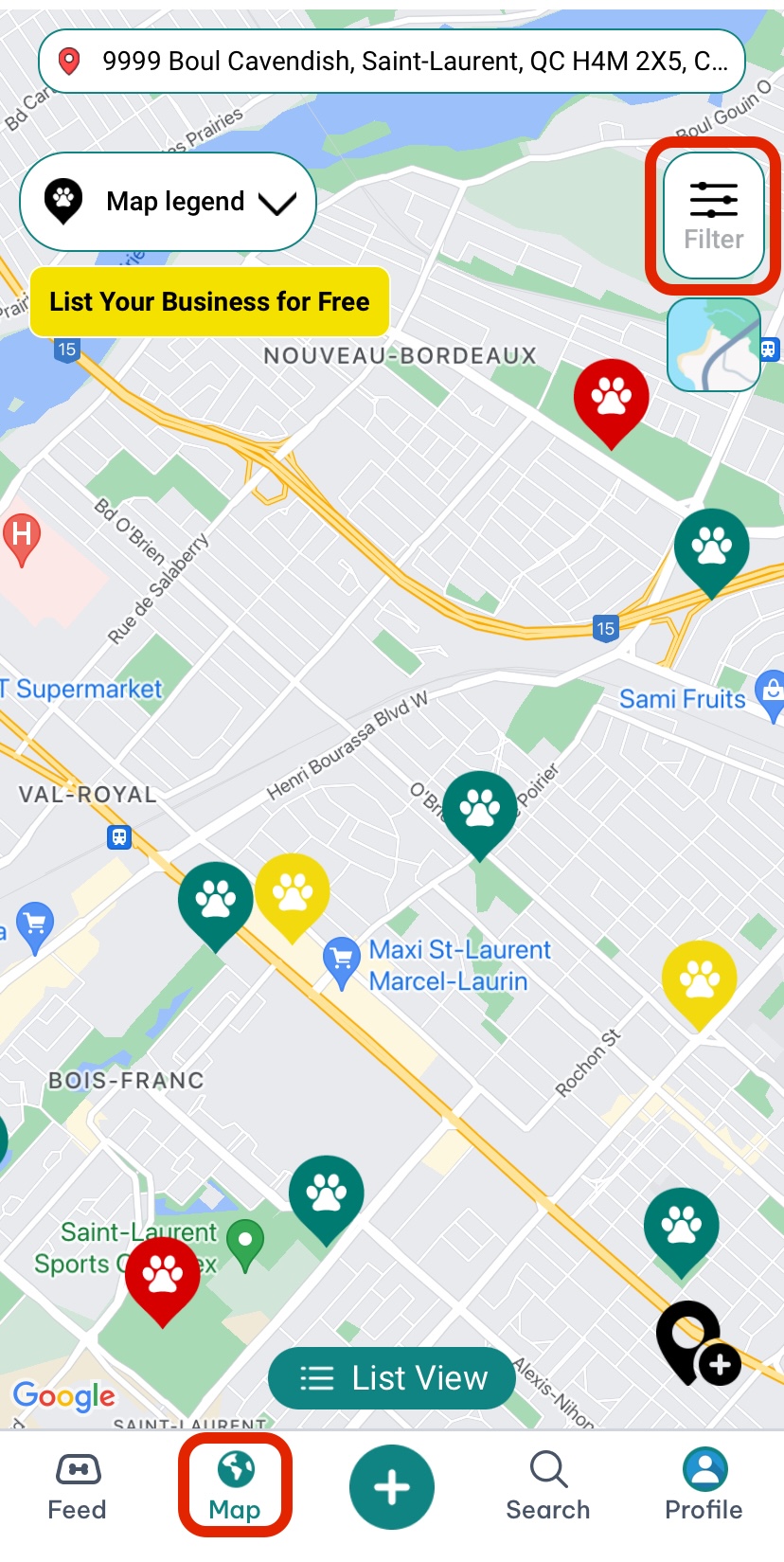
- Select the amenities you want, such as off-leash areas, obstacles, or swimming areas.
- Click Apply to see parks with your selected amenities.
2. Using the Search Tab:
- Tap the Search button in the bottom toolbar.
- Select Parks by the search filter and then click the Filter button.
- Select your desired amenities and click Apply.
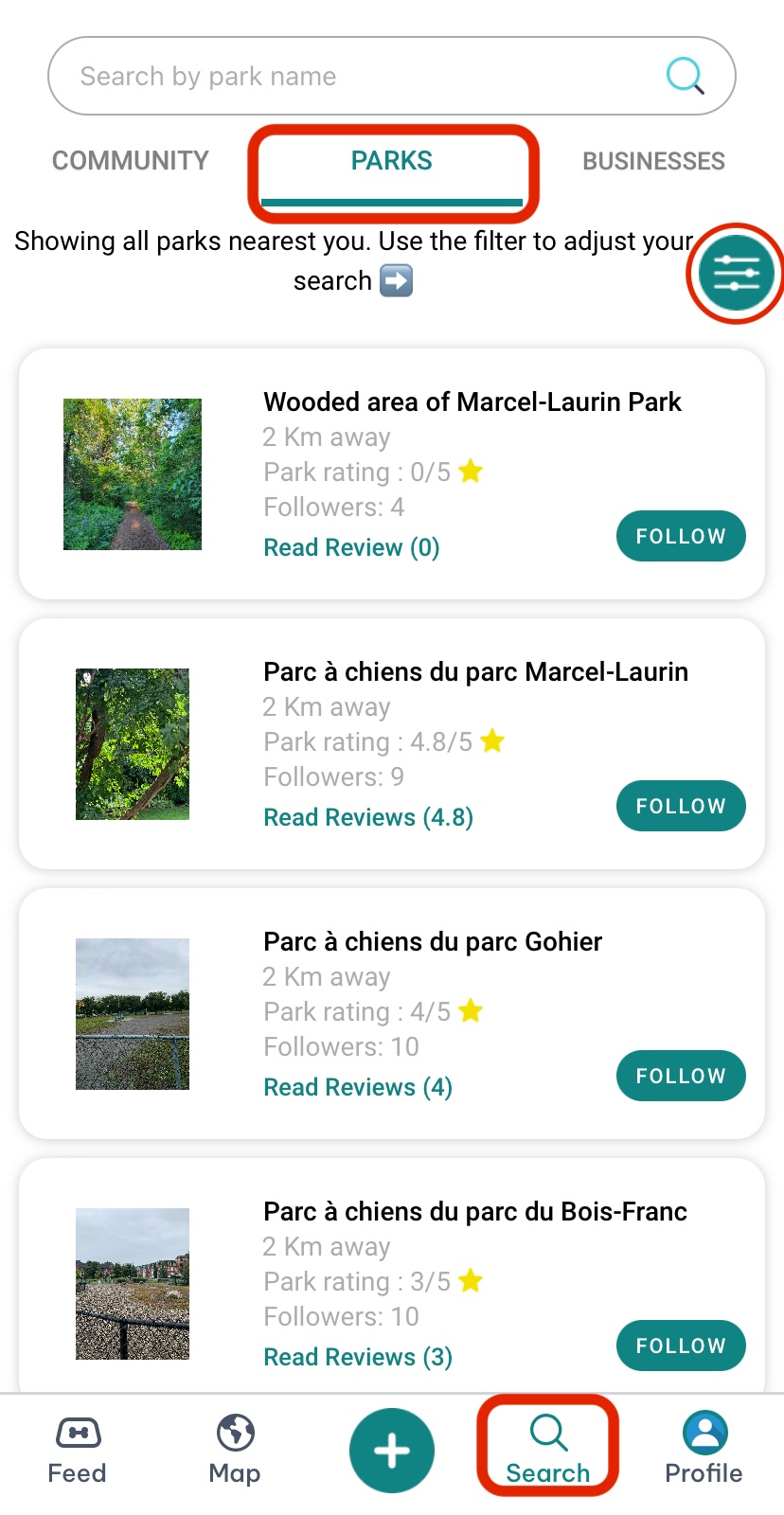
The map will refresh to show parks with the selected amenities nearby.
This makes it easy to find the perfect spot for your visit!
 Continue in App
 Continue in