



Back to FAQs
How can I vote for the amenities at a Dog Park?
To vote for park amenities, you’ll need to log in or create a DogPack account.
You can vote for park amenities by navigating to the park page for the location you want to vote on.
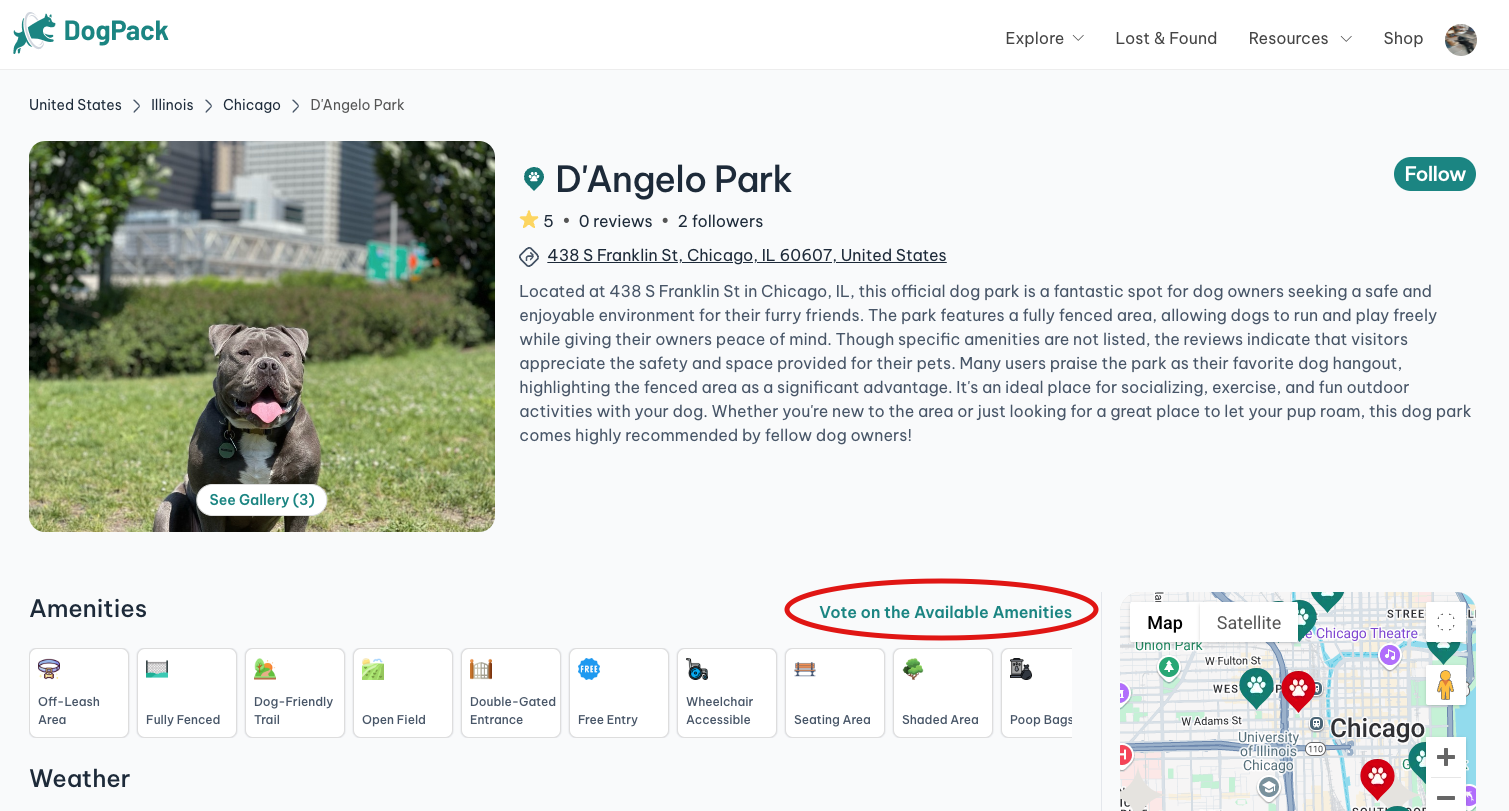
1. Locate the designated Amenities section on the page.
2. On the right-hand side of the amenities list, click “Vote on the Available Amenities.”
3. A list of all amenities will appear. Select the ones that are relevant for that park and confirm your vote.
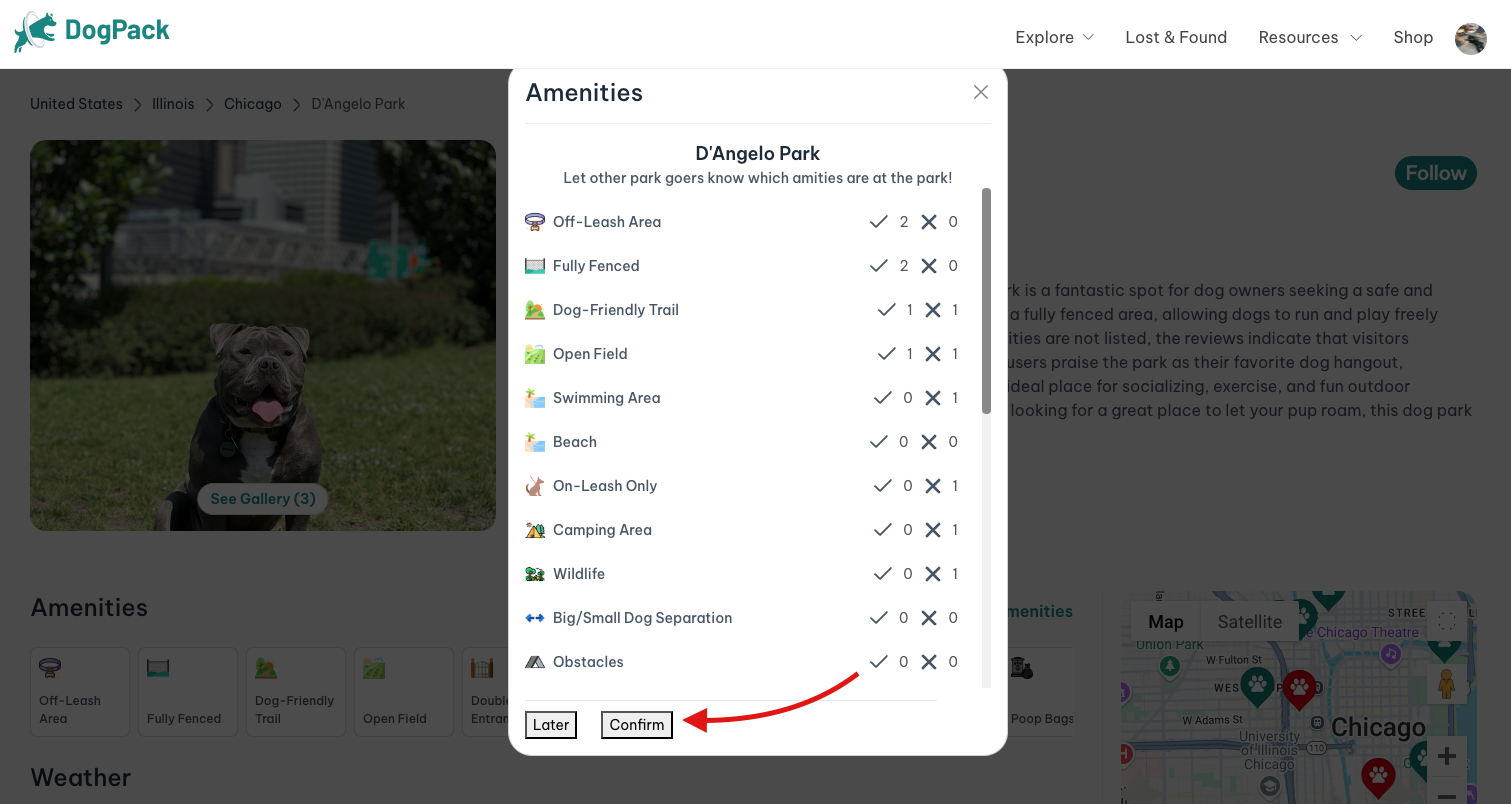
If something changes at the park, you can update your vote anytime by clicking the pencil icon in the same area and adjusting your selections.
 Continue in App
 Continue in