



Adding multiple dog profiles on the DogPack app is quick and straightforward, giving each of your dogs their own profile. You can create a new profile for each dog and manage them all seamlessly from your account. Here's how:
There are two ways to add a new dog profile:
1. Using the Profile Button:
Hold down on the profile button, and a menu will appear.
2. From Your Profile Area:
Navigate to your profile section. At the top left, where your username and current profile name are displayed, click the arrow to open a menu.
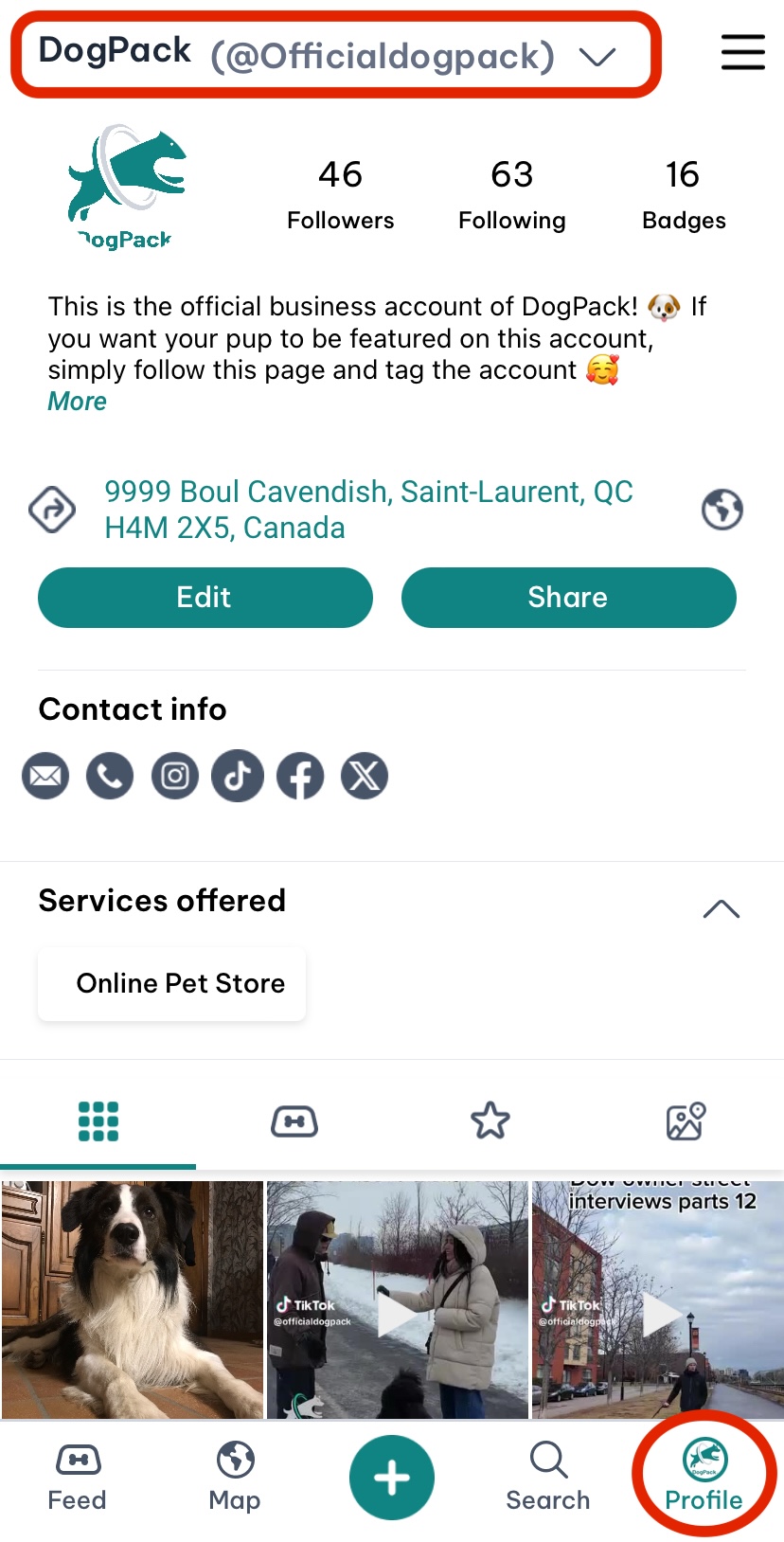
Once the menu is open, the steps are the same for both methods:
-
Select the option to “Add Dog Profile.”
-
Fill in the details for your new dog profile and save.
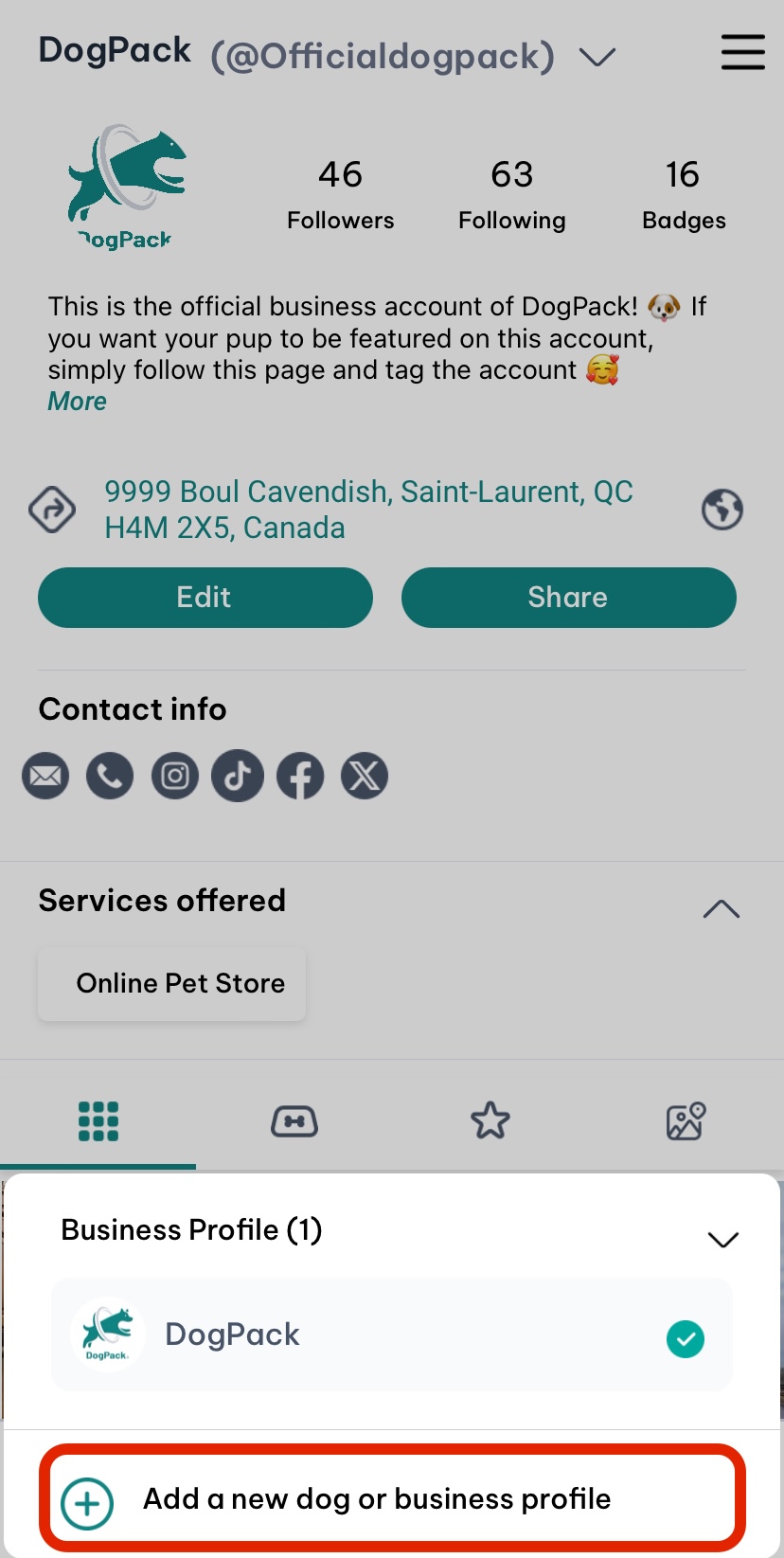
Switching Between Profiles:
To switch between profiles, click on your username at the top left of your profile section. A menu will appear, allowing you to select the dog profile you want to view. Managing multiple profiles has never been easier!
 Continue in App
 Continue in