



Back to FAQs
How can I disable vibrations?
Many buttons in the app provide a slight vibration (haptic feedback) when pressed. If you prefer to use the app without these vibrations, you can easily disable them:
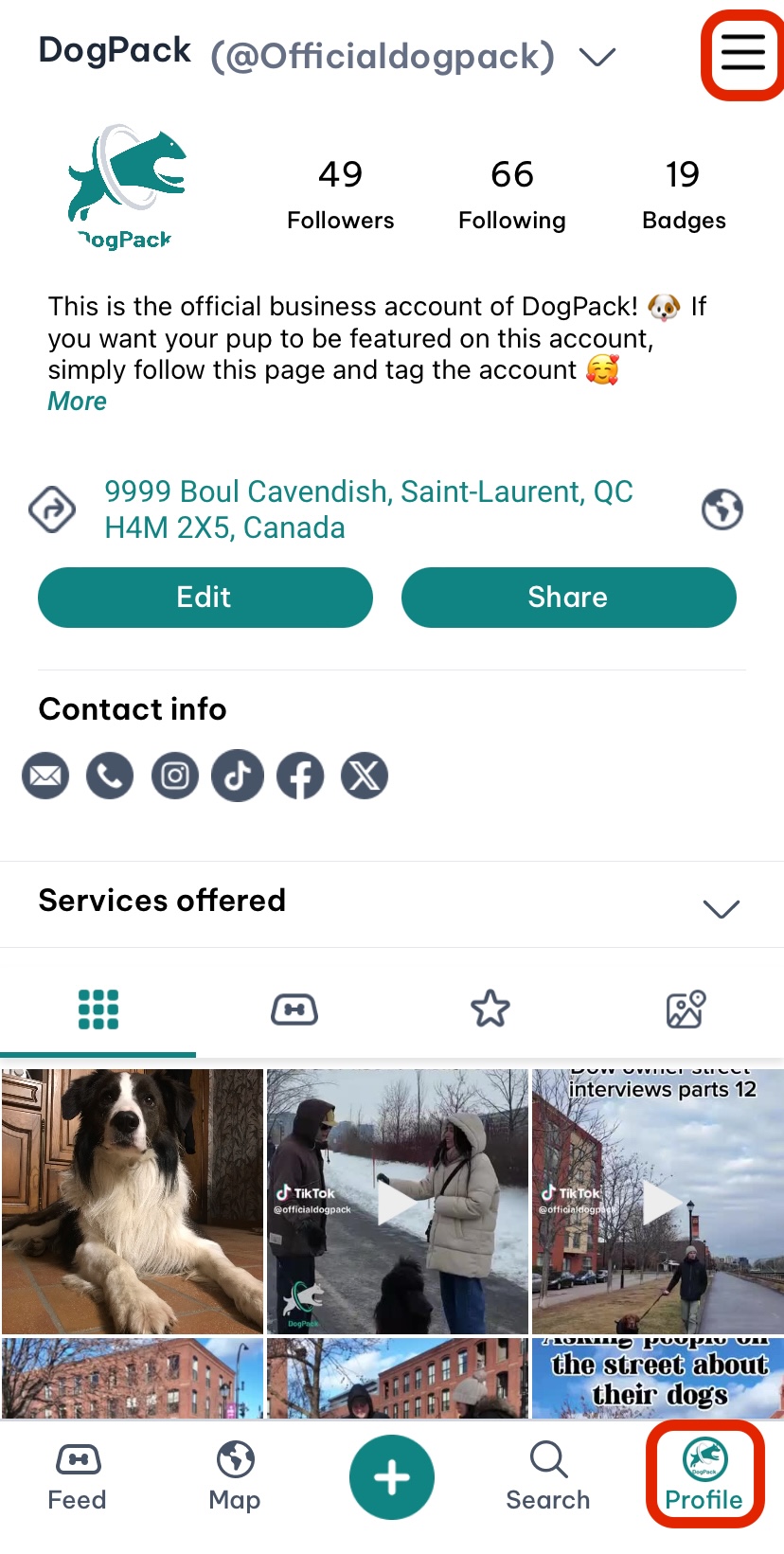
1. Go to the Profile tab.
2. Open the menu by clicking the menu icon in the top-right corner.
3. Scroll through the menu and find the “Haptics” option.
4. Toggle the switch to disable vibrations.
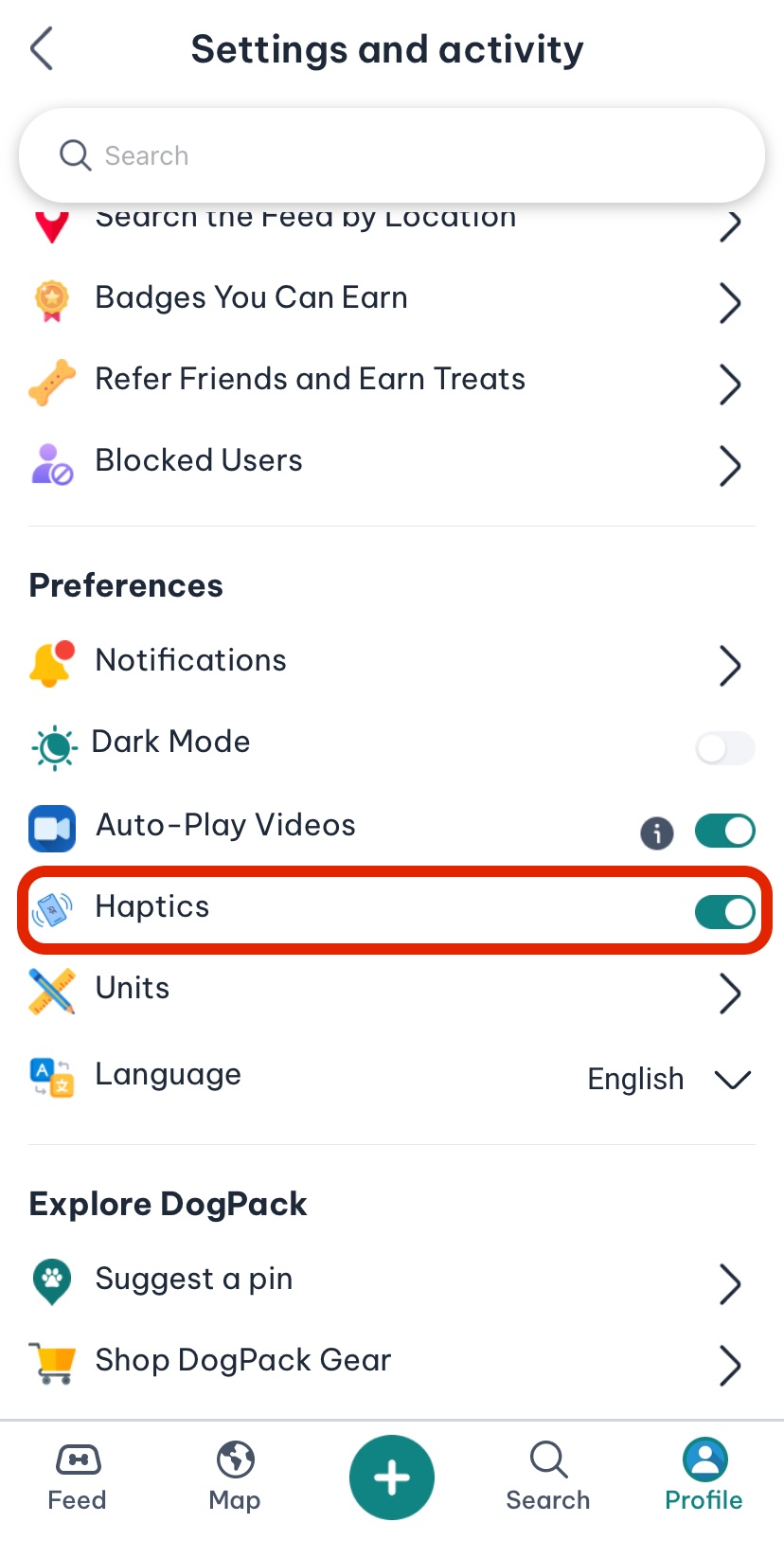
Your preferences will be saved, and the app will no longer provide haptic feedback.
 Continue in App
 Continue in