


There are three ways to post directly to a dog park Feed on the DogPack app.
1. Using the Regular Posting Button
-
Click the plus (+) button at the bottom of the page to create a new post.
-
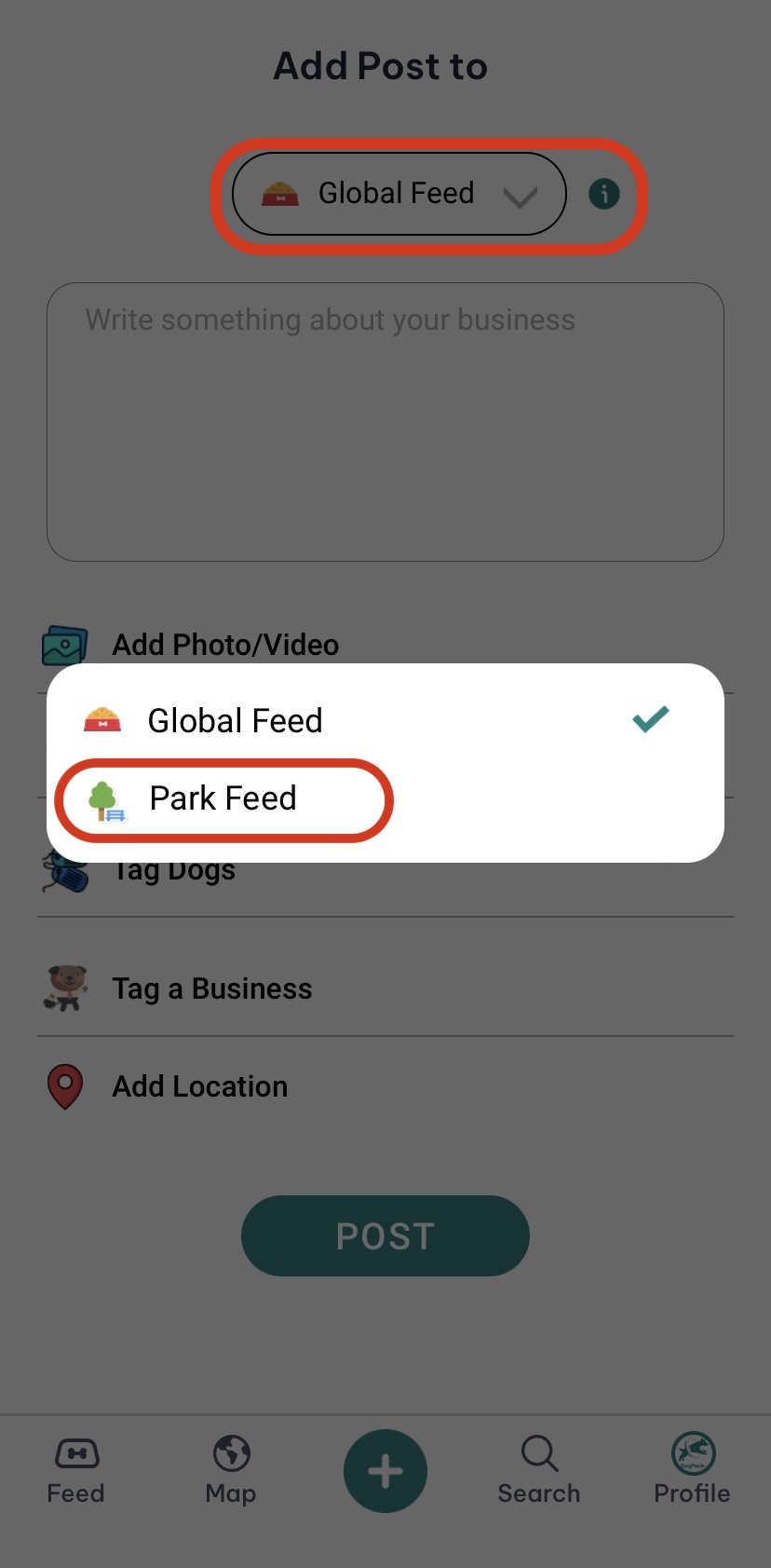
Change the dropdown menu at the top of the page to “Park Feed” and select the dog park you want to post to.
-
-
Note that you can only post to a dog park Feed if you follow the park.
-
Once you click “Post,” your post will go directly to the selected dog park Feed, and everyone following that park will receive a notification.
2. Posting to the Global Feed with a Tag
-
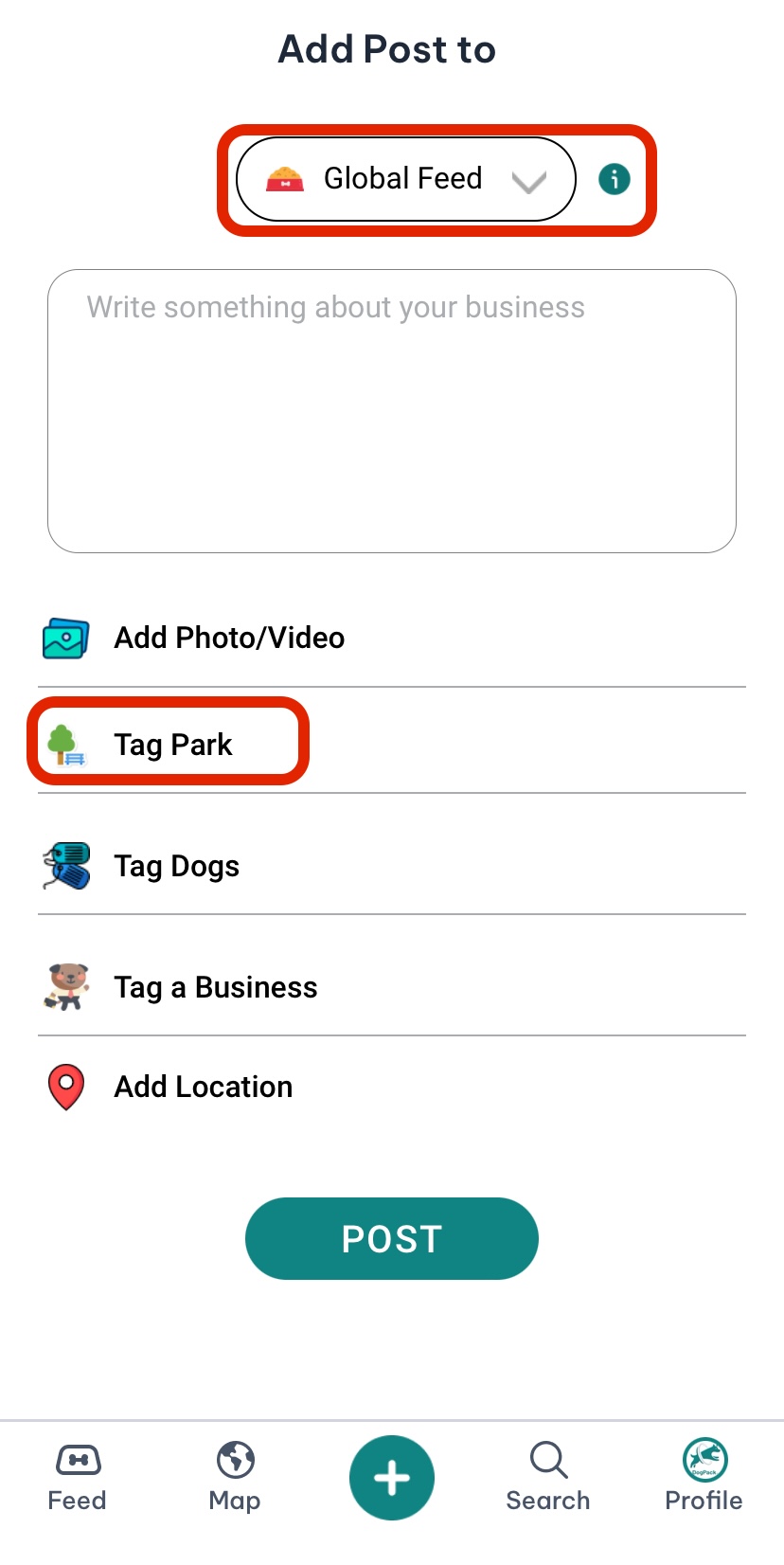
Click the plus (+) button to create a new post, and select “Global Feed” from the dropdown menu.
-
Tag the dog park you want to include in your post.
-
-
When you click “Post,” your content will appear on both the Global Feed and the tagged dog park Feed, making it visible to a broader audience.
3. Posting from the Dog Park Page
-
Navigate to the specific dog park page.
-
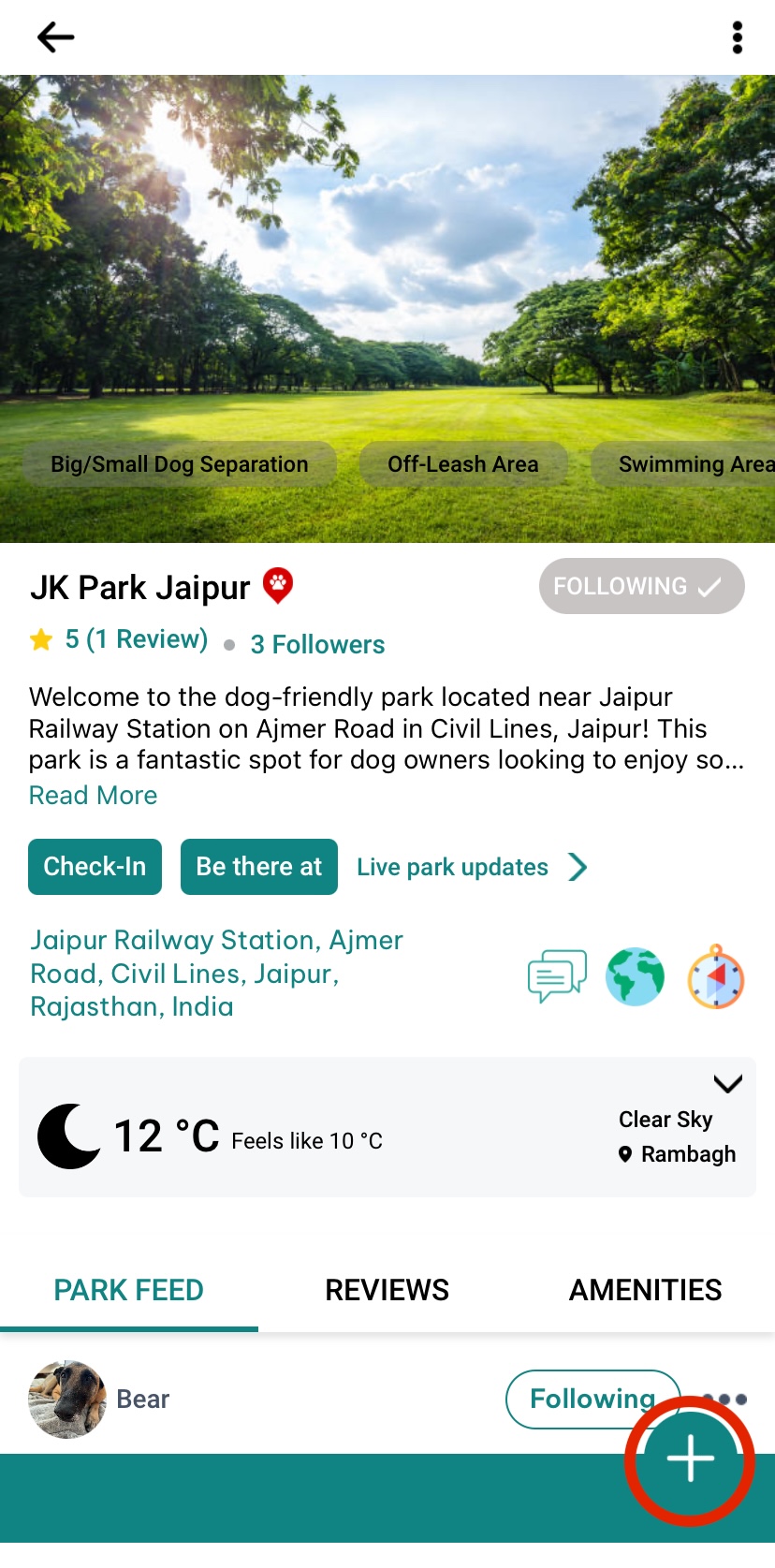
If you are following the park, a green plus (+) button will appear at the bottom-right corner of the screen.
-
-
Click the green button, add the details of your post, and click “Post.”
-
The dog park will automatically be tagged, and your post will appear only on the park Feed. Everyone following the park will receive a notification.
These options make it easy to share your experiences and connect with others in your local dog park community!
 Continue in App
 Continue in