


Back to FAQs
How do I switch between metric and imperial units (kg/pounds and km/miles)?
When you first sign up for the DogPack App, you’ll be asked to choose between the metric or imperial system as your default.
If you’d like to adjust these settings later, follow these steps:
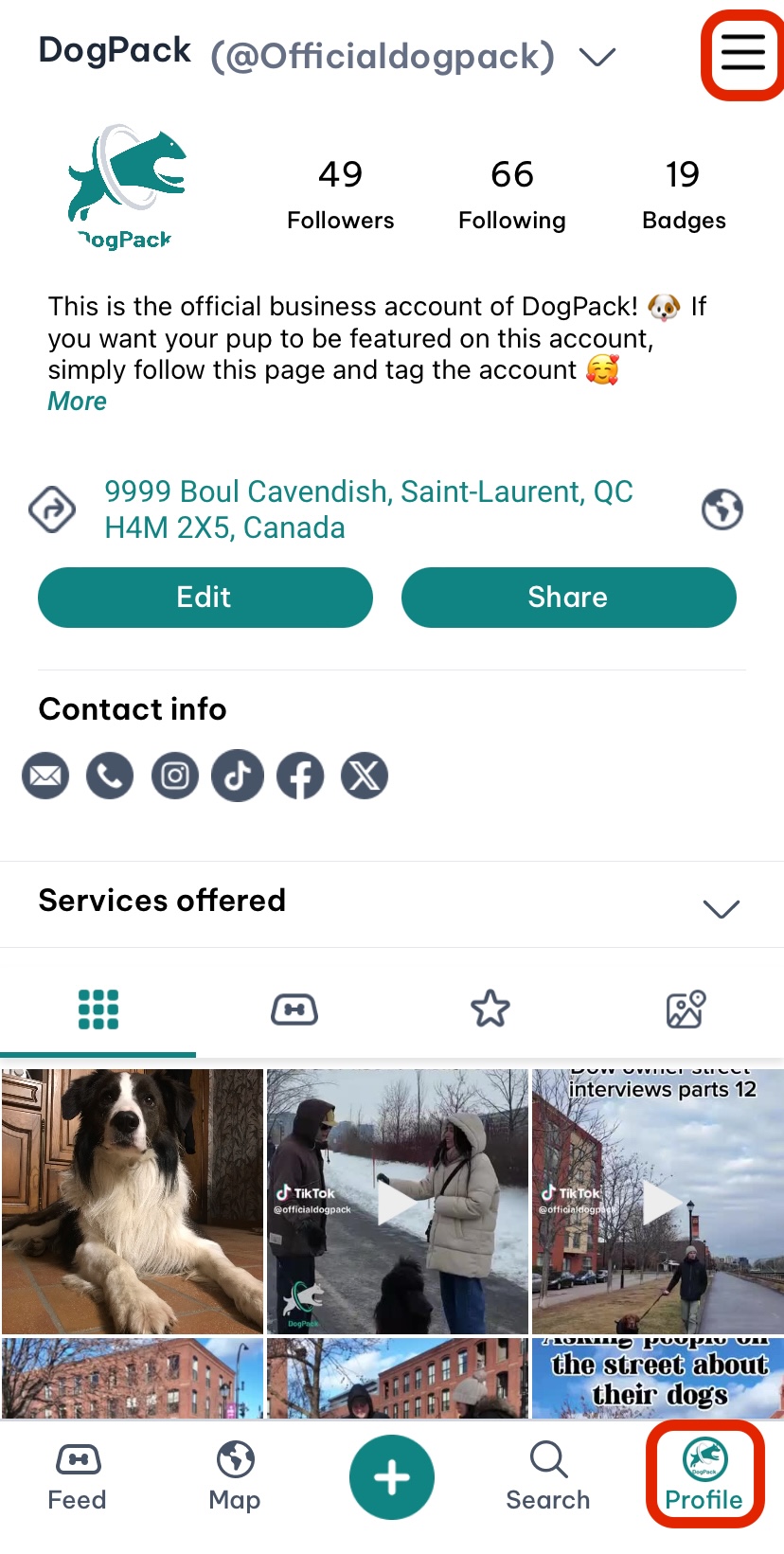
1. Go to your Profile section.
2. Open the menu by clicking the icon in the top-right corner of the profile screen.
3. Scroll down to the “Preferences” section in the settings and select the “Units” options. Here you can change the preferred measurement system.
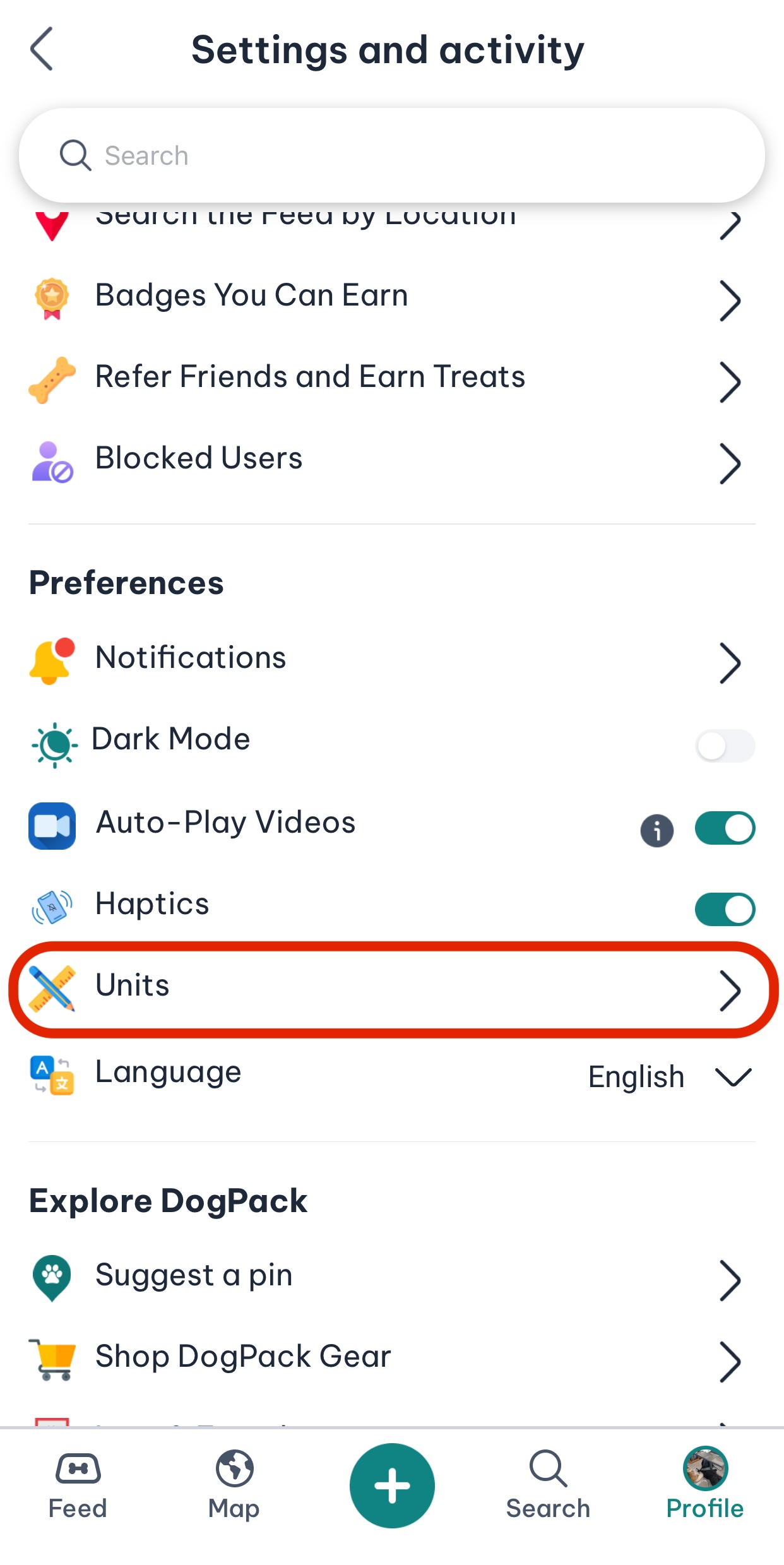
Once updated, the app will reflect your chosen units across all features.
 Continue in App
 Continue in